
MT5 guide
How to trade gold for MetaTrader 5
Your live account don ready? Dis simple guide show every screen for di MT5 phone app: connect your TradeQuo account, open di gold chart, buy or sell, protect your trade and close am.
- 5 minutes
- MT5 app for phone
- XAUUSD
- For beginners
–
Step 1 of 6
Add your TradeQuo account for MT5
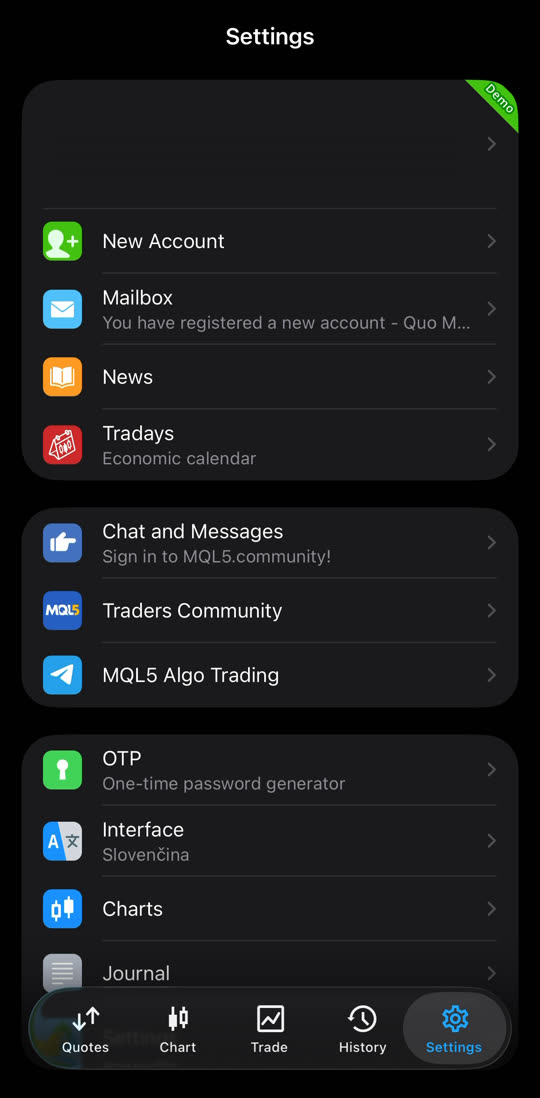
Open di MetaTrader 5 app. Tap “Settings” (for bottom right), then tap “New Account”.
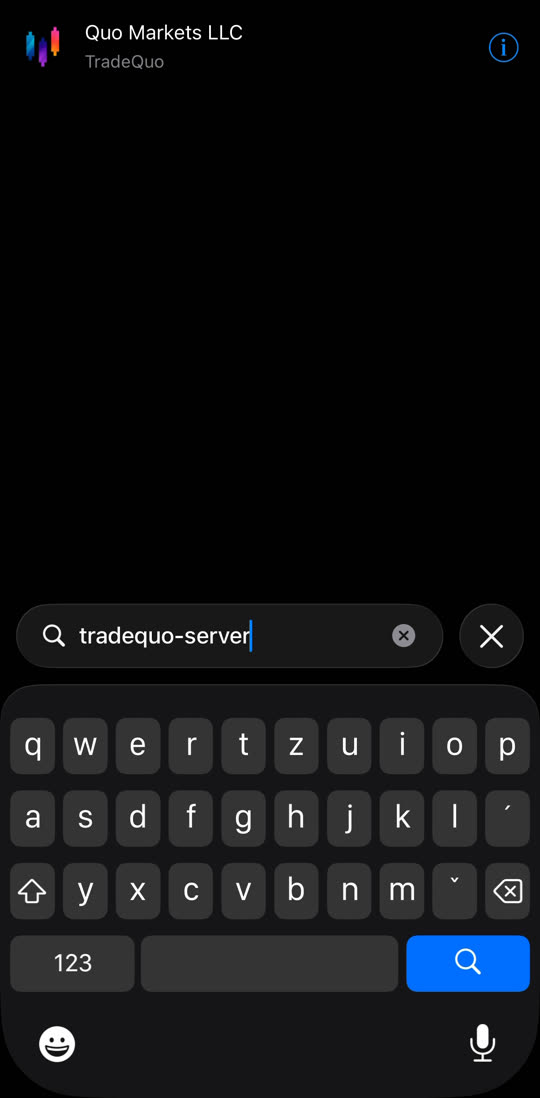
For di search box, type tradequo-server and tap “Quo Markets LLC”.
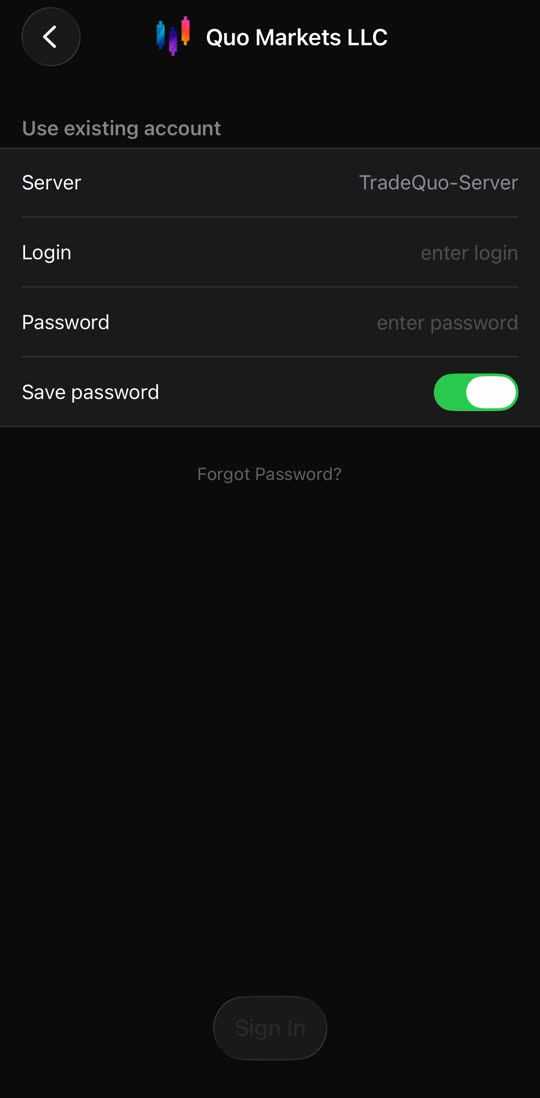
Tap “Use existing account”. Check say di server na TradeQuo-Server. Type di login and password wey TradeQuo send you for email, then tap “Sign in”.
Tip: Use di login number wey dey di email, no be your email address.
Step 2 of 6
Open di gold chart (XAUUSD)
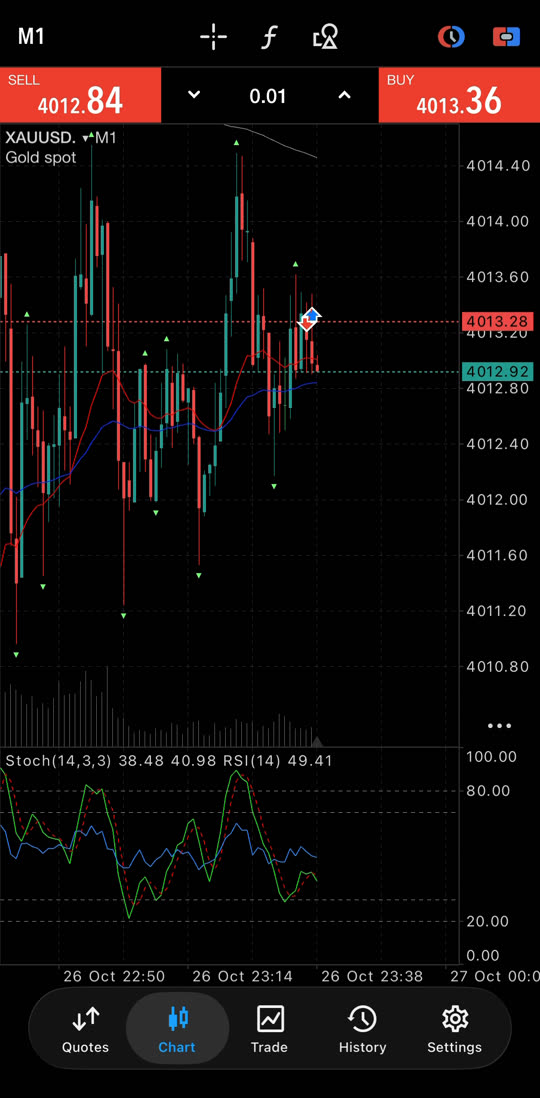
Tap “Chart” for di bottom menu. Di name for top left must be XAUUSD – na gold be dat. If you see another name, go “Quotes”, tap XAUUSD, then “Chart”.
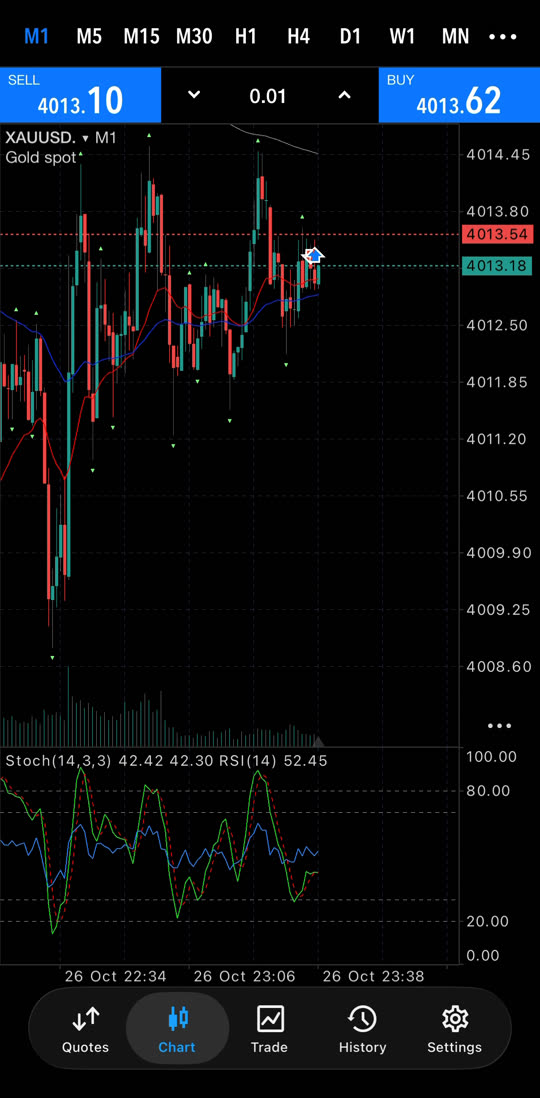
Tap M1 for top left to choose di time for one candle: M1 = 1 minute, M5 = 5 minutes, M15 = 15 minutes, H1 = 1 hour.
Step 3 of 6
Lot, Buy and Sell
For di top of di chart, you go see three things:
- SELLred, for left – you think say price go COME DOWN.
- 0.01for middle – di lot, wey be di size of your trade. Use di arrows change am.
- BUYblue, for right – you think say price go GO UP.
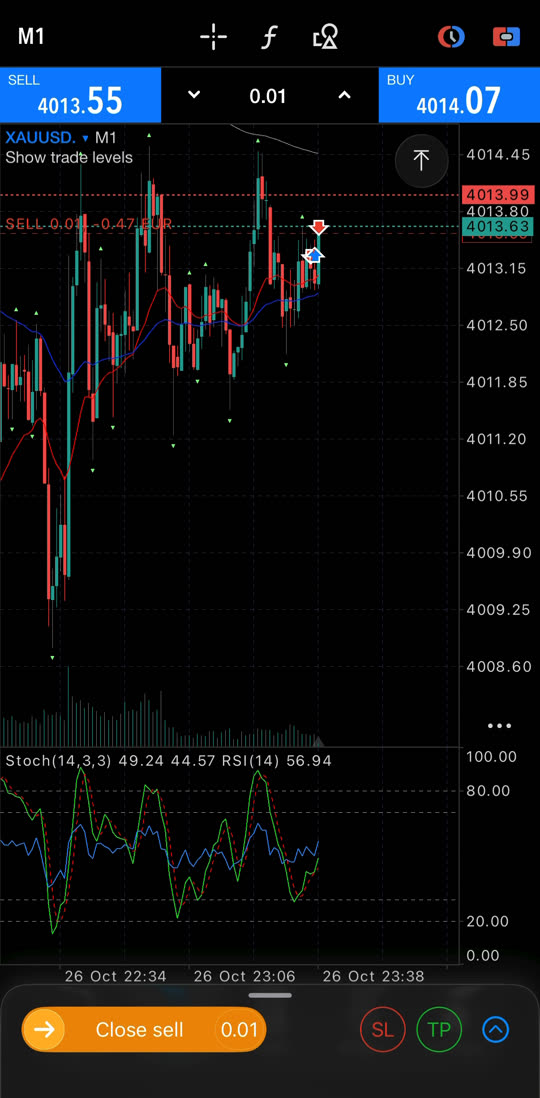
Tap SELL or BUY. Di trade go open sharp sharp and one line for your trade go show for di chart.
Tip: Start with di smallest lot: 0.01. Bigger lot mean bigger gain – and bigger loss.
Step 4 of 6
Stop Loss and Take Profit
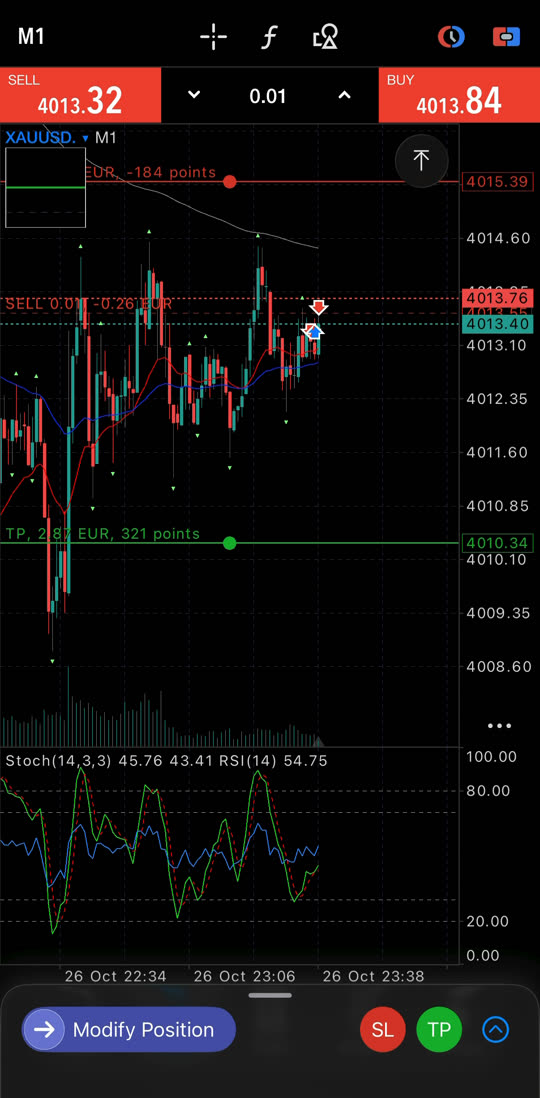
- Stop Loss (SL)go close your trade by itself if price go di wrong way. E dey protect your money. Tap SL and drag di red line.
- Take Profit (TP)go close your trade by itself when you reach your profit. Tap TP and drag di green line.
Tap “Done” to save am.
Tip: Always put Stop Loss. Trade wey no get Stop Loss fit lose pass wetin you plan.
Step 5 of 6
Close trade
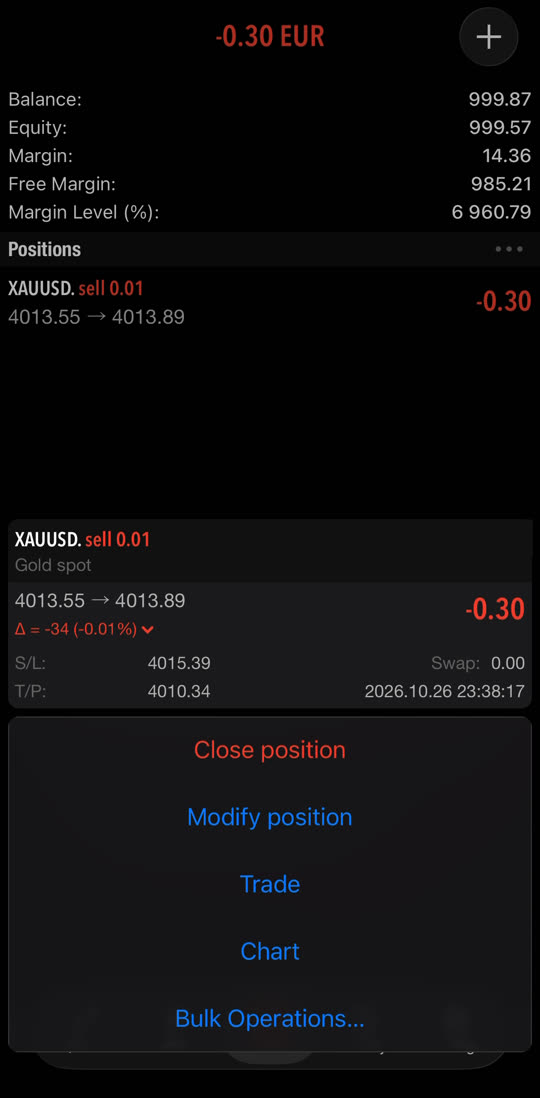
Tap “Trade” for di bottom menu to see your open trades. Hold your finger for di trade, then tap “Close position”.
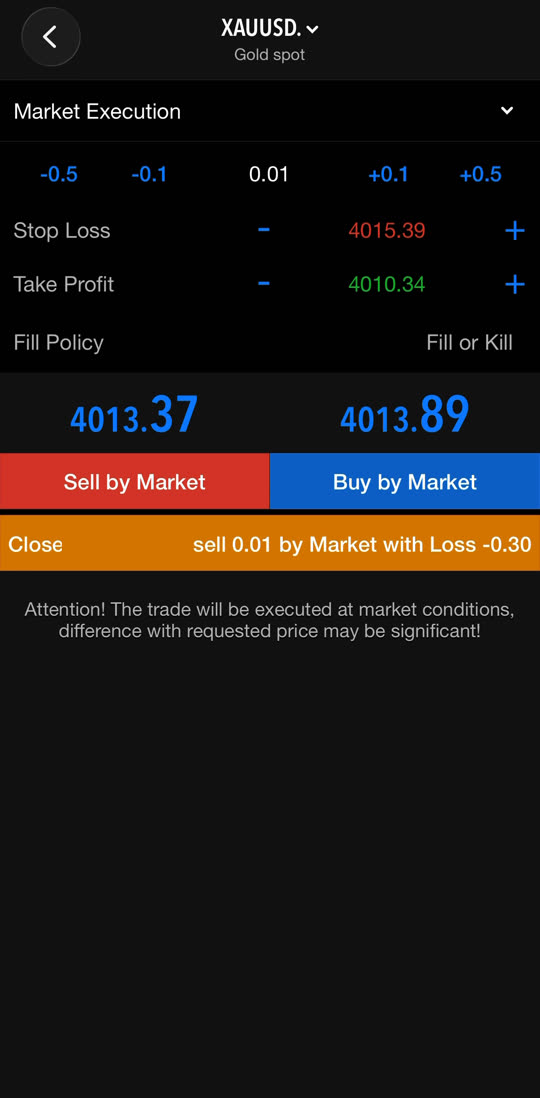
Tap di orange button “Close … by Market”. Di trade don close and di profit or loss go enter your balance.
Step 6 of 6
Pending order (Buy Limit)
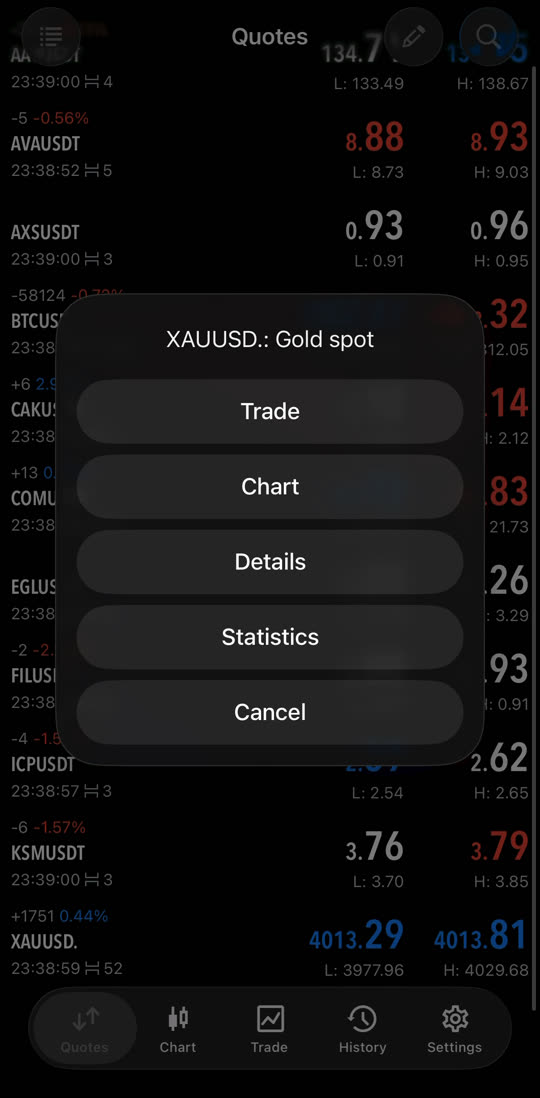
Pending order dey wait for better price. Go “Quotes”, tap XAUUSD, then “Chart”.
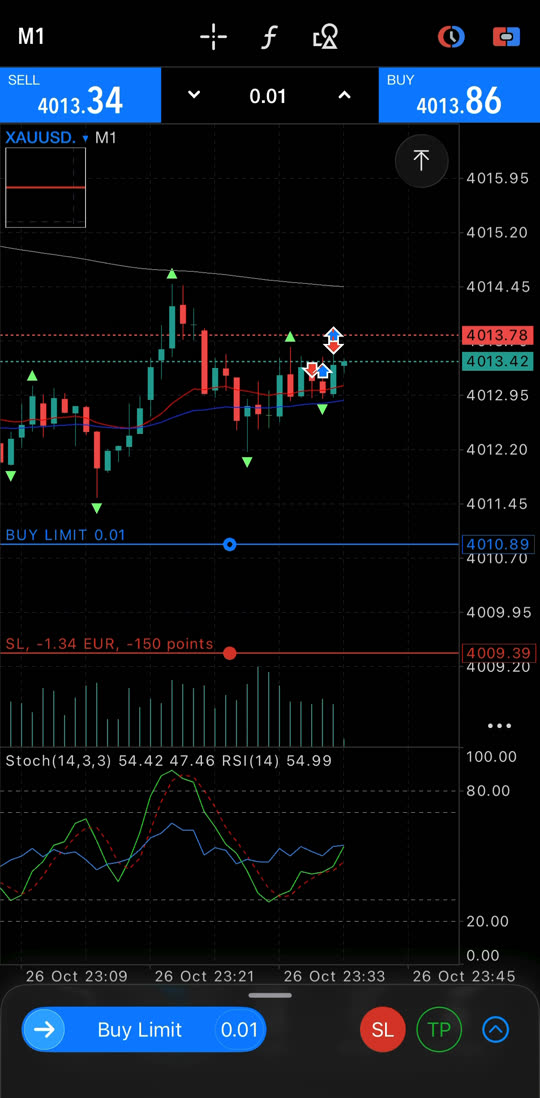
Choose Buy Limit and drag di blue line go di price wey you want. Put Stop Loss and Take Profit like before, then tap “Done”.
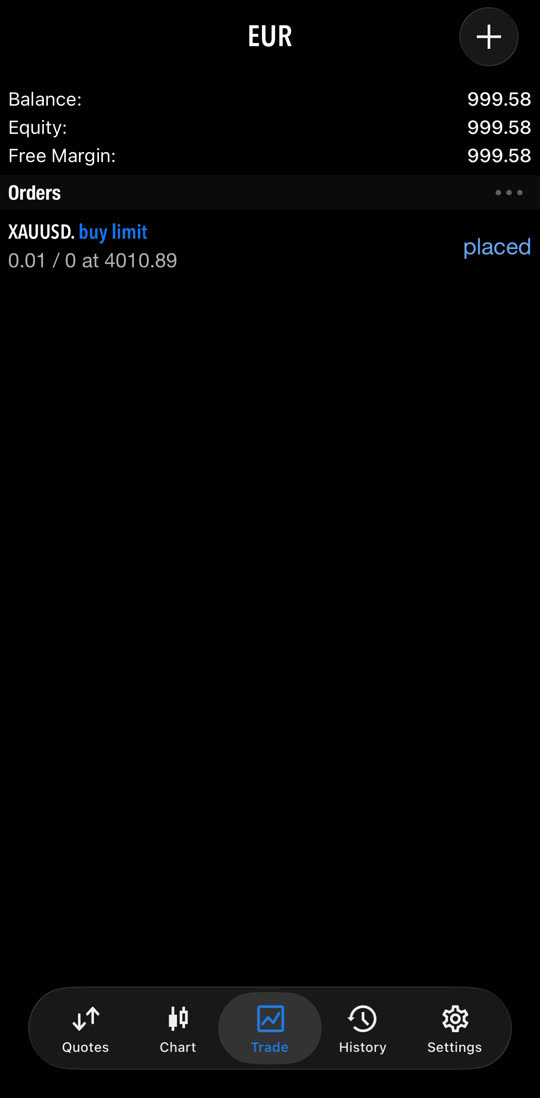
Your order dey wait for “Trade” → “Orders” with status “placed”. When price reach your level, di trade go open by itself.
Simple words to remember
- XAUUSD
- Gold price for US dollars.
- Lot
- Di size of your trade. 0.01 na di smallest.
- Buy
- You dey gain when price GO UP.
- Sell
- You dey gain when price COME DOWN.
- Stop Loss (SL)
- E go comot you automatically with small loss. E dey protect you.
- Take Profit (TP)
- E go comot you automatically with your profit.
- Buy Limit
- Buy later for LOWER price pass now.
- Sell Limit
- Sell later for HIGHER price pass now.
You ready to trade with us?
Join TRADING LAB make you dey get XAUUSD trade ideas with clear entry, Stop Loss and Take Profit.
Join di communityTo trade CFDs, forex and gold (XAUUSD) get high risk say you go lose money quick because of leverage. Most small investors dey lose money. No trade with money wey you no fit afford to lose.